

Many believe that NFC is only used for fast data transfer, but the reality is much more interesting. The Connection Handover Profile allows devices to seamlessly initiate higher-speed connections, such as Bluetooth or Wi-Fi, through a simple NFC tap. This capability transforms NFC from a simple exchange tool into a gateway for advanced professional networking. In this article, we will explore what the NFC Connection Handover profile is, how it works in practice, what limitations exist, and how you can leverage it to enhance your professional presence.
Table of contents
- Key points
- What is the NFC Connection Handover profile and how it works
- Limitations and challenges in implementing the NFC Connection Handover profile
- NFC and QR codes: Comparison for professional use and connection profiles
- Practical applications of the NFC Connection Handover profile in professional networking
- Upgrade professional networking with TagTouch NFC cards
- Frequently asked questions about the NFC Connection Handover profile
Key Takeaways
| Point | Details |
|---|---|
| NFC Connection Handover profile | Connection Handover allows devices to initiate higher-speed connections via an NFC tap. |
| Limited range | The range is about 4 cm and requires physical proximity of the devices. |
| iOS/Android limitations | Functionality depends on NFC Forum certification and restrictions applied in iOS and Android. |
| Professional benefits | Using the profile reduces connection time and improves the experience when sharing material via Bluetooth or Wi-Fi. |
| QR code alternatives | QR codes offer an alternative approach with certain advantages without physical contact. |
What is the NFC Connection Handover profile and how it works
The NFC connection profile refers to the NFC Forum's Connection Handover Profile, a technical specification that allows two devices to exchange NDEF messages to initiate a higher-speed connection. When two devices are brought together, NFC creates the initial contact and transfers the necessary information to activate Bluetooth or Wi-Fi. This process is completed in fractions of a second, providing the user with a seamless experience.
The technology works through a series of steps that are invisible to the end user. First, devices detect each other when they are within 4 cm of each other. Then, they exchange NDEF records containing connection parameters for Bluetooth or Wi-Fi. Finally, the devices use this information to establish a faster connection that can transfer a larger volume of data.
For professionals seeking effective networking with NFC for professionals, this capability offers significant advantages. You can share entire portfolios, presentations, or videos without worrying about the speed limitations of NFC. The initial contact is made with NFC, but the actual data transfer occurs via the faster connection.
However, for this process to work correctly, both devices must be NFC Forum certified. This ensures they support the appropriate protocols and can communicate effectively. Without proper certification, the connection may fail or not provide the expected performance.
Key benefits of the connection profile:
- Instant transition to faster connections without manual configuration
- Reduced time needed to exchange large files
- Simplified pairing process for Bluetooth devices
- Enhanced security due to required physical proximity
- Improved user experience at professional events
The Connection Handover Profile transforms NFC from a simple exchange tool into a gateway for advanced communication, allowing professionals to share rich content with the ease of a tap.
Limitations and challenges in implementing the NFC Connection Handover profile
Despite its advantages, the NFC Connection Handover profile faces specific challenges that professionals should be aware of. The most obvious is the limited range of 4 cm, which requires devices to be nearly touching. This can create awkward situations in professional environments where physical proximity is not always possible or desired.
Compatibility between Android and iOS is another major hurdle. iOS has restrictions on how it handles NDEF messages, which can affect the functionality of the Connection Handover Profile. While Android smartphones fully support this technology, iPhones may require specific apps or settings for the connection to work properly.

At crowded professional events, the problem of multi-tag collision becomes apparent. When many NFC devices are close, confusion in identification and RF collision can occur. To address this, it is necessary to implement collision avoidance algorithms that ensure every connection completes successfully without interference.
When an NFC connection fails, it is essential to have fallback solutions. Most modern applications for modern networking tips with NFC incorporate alternative methods, such as direct activation of Bluetooth or Wi-Fi without using NFC. This ensures that communication can continue even if NFC encounters technical issues.
Common challenges users face:
- Difficulty in precise device placement for proper detection
- Performance inconsistencies between different smartphone models
- Time delays in transitioning from NFC to Bluetooth or Wi-Fi
- Issues with older devices that do not support NFC Forum standards
- Limitations on the size of NDEF messages that can be exchanged
Pro tip: Before fully adopting NFC for your networking, test your solution in real-world conditions with different smartphone models. Use sophisticated tools like NFC Tools to check the performance of NDEF records and ensure that fallback mechanisms are working effectively. This proactive approach will save you time and prevent awkwardness during important professional meetings.
NFC and QR codes: Comparison for professional use and connection profiles
The comparison between NFC and QR codes reveals significant differences that influence the choice of technology for professional networking. NFC relies on near-field wireless communication that requires specific hardware, while QR codes use visual recognition via a smartphone's camera. This fundamental difference determines many of the practical applications of each technology.
NFC offers faster and more secure exchange compared to QR codes, as data transfer occurs directly between devices without requiring an internet connection. Furthermore, the required physical proximity adds a layer of security, as someone cannot read an NFC tag from a distance. The user experience is also smoother, with a simple tap instead of opening a camera and focusing on a code.
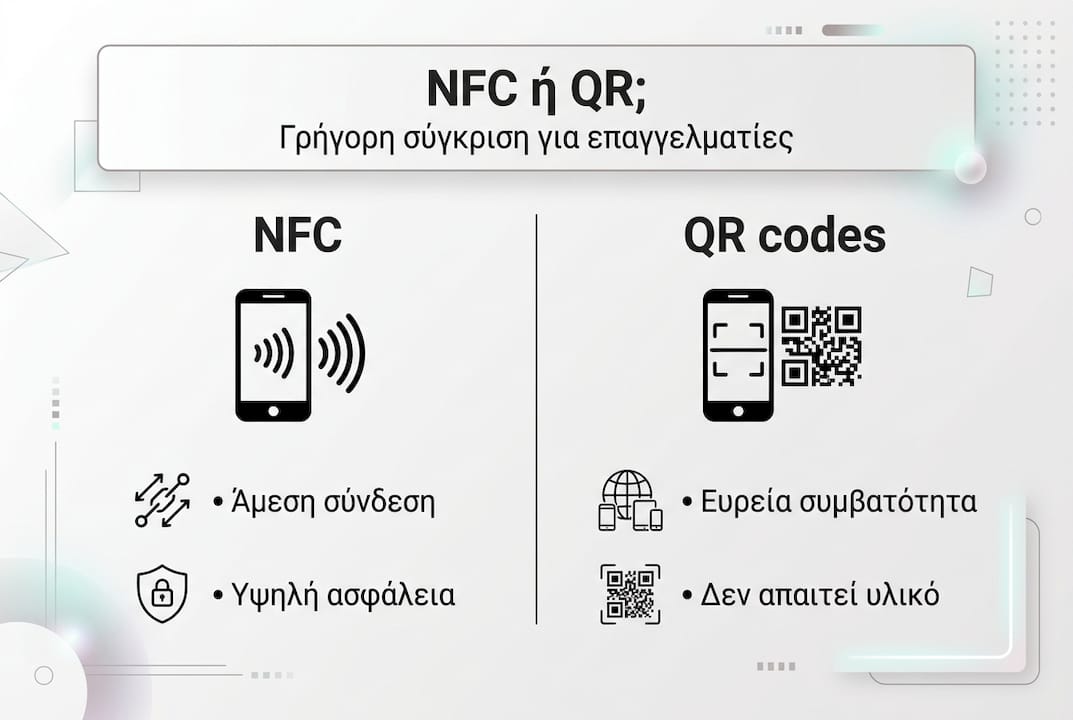
On the other hand, QR codes have the advantage of universal compatibility. Every smartphone with a camera can scan a QR code, whereas NFC requires specific hardware that is not present on all devices. Creating and printing QR codes is also much simpler and more cost-effective, making them ideal for mass distribution on marketing materials.
To better understand when to choose each technology, consider the differences between NFC and QR codes on a practical level:
| Criteria | NFC | QR Code |
|---|---|---|
| Range | Up to 4 cm | Up to several meters |
| Exchange speed | Instant (< 0.1 seconds) | 1-3 seconds |
| Compatibility | Requires NFC hardware | All smartphones with a camera |
| Security | Higher (physical proximity) | Lower (visual scanning) |
| Implementation cost | Medium to high | Very low |
| Update capability | Dynamic with cloud connection | Static or dynamic |
When to choose NFC:
- When you need fast exchange in face-to-face meetings
- For premium business cards that project a modern image
- When data security is a priority
- In environments where using a camera is inconvenient
When to choose QR codes:
- For mass distribution on marketing materials and posters
- When you need a larger scanning range
- In situations where you do not know if devices have NFC
- For temporary campaigns that do not justify investment in NFC hardware
Practical applications of the NFC Connection Handover profile in professional networking
Implementing the NFC connection profile in practice begins with programming the appropriate NDEF Handover records into NFC chips. This process requires specialized tools such as NFC Tools, which allow you to record connection parameters for Bluetooth or Wi-Fi. The key is to create records that contain all the necessary information for automatic connection without user intervention.
To create digital business cards with the NFC connection profile, follow these steps:
- Select the appropriate type of NFC chip (usually NTAG213 or NTAG216) that supports enough memory for Handover records
- Use a programming app to write NDEF messages containing the Bluetooth or Wi-Fi parameters
- Embed the URL of your digital profile as an alternative option for devices that do not support Handover
- Test functionality on multiple Android and iOS devices to ensure compatibility
- Regularly update your cloud-based profile to keep information current
- In professional events and meetings, using NFC cards with a connection profile offers significant advantages. Instead of exchanging paper cards that are easily lost, you can instantly share your entire professional profile, including links to social media, portfolios, and other digital assets. The process is so fast that you can network with dozens of people in a short amount of time.
The need for cross-platform testing cannot be understated. Android smartphones have different behavior than iPhones regarding NFC handling, and some models may require specific settings. Test your card on as many devices as possible to identify any issues before using it in important professional situations.
For more advanced applications, you can integrate analytics into your digital profile to track how many people scan your card and which information they are most interested in. This data can help you optimize your presentation and better understand your audience. Follow the 2026 NFC networking guide for more strategies.
Pro tip: In crowded professional environments with many NFC tags, use apps that support batch reading and collision avoidance. This allows devices to manage multiple simultaneous reads without confusion. Also, place NFC tags in locations where physical contact is easy but not accidental, to avoid unintended activations.
Upgrade professional networking with TagTouch NFC cards
Professionals looking for modern networking solutions find the ideal answer in TagTouch. Our high-quality NFC cards fully leverage the Connection Handover Profile to offer instant and efficient professional information exchange.
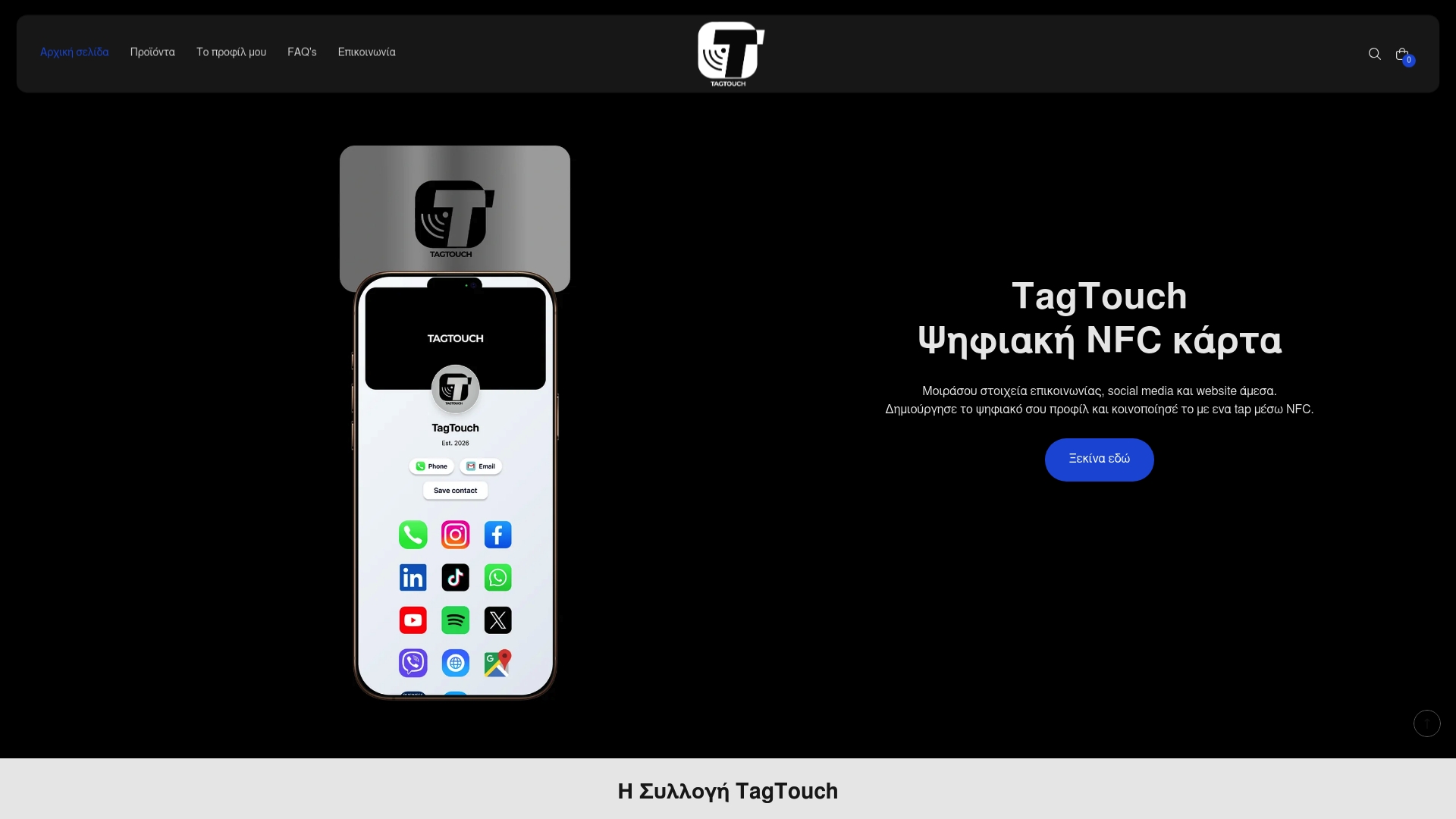
With our collection, which includes the elegant Mirror NFC Card, the classic White NFC PVC Card, and the premium Black NFC Metal Card, every professional can find the solution that fits their image. Each card connects to a fully customizable digital profile where you can showcase your contact details, social media, website, portfolio, and any other information you want to share. The platform allows for easy updates, ensuring your information always stays current without needing to reprint cards. Visit tagtouch.gr to discover how we can transform your networking into a fast, smart, and modern experience.
Frequently asked questions about the NFC Connection Handover profile
How does the NFC connection profile work in practice?
The NFC connection profile uses the initial NFC contact to exchange NDEF messages containing Bluetooth or Wi-Fi parameters. When two devices are brought together, NFC automatically activates the faster connection without manual configuration. The process is completed in less than a second, providing a flawless user experience.
Are all smartphones compatible with the NFC connection profile?
No, there are significant differences between Android and iOS. Most modern Android smartphones fully support the Connection Handover Profile, while iPhones have restrictions on handling NDEF messages. For optimal compatibility, test your solution on multiple devices before adopting it professionally.
What is the range and geographical limitations of use?
The range of NFC is limited to 4 cm, requiring almost direct contact between the devices. There are no geographical limitations to using the technology, as NFC works locally without needing an internet connection. However, the shared content may require internet for full access.
Can NFC fully replace other networking methods?
NFC is an excellent tool but not a panacea. It works best for face-to-face meetings where physical proximity is possible. For remote networking, email and social media remain essential. The ideal strategy combines NFC with other methods for maximum efficiency, as explained in the NFC networking guide.
What are the steps to create my own NFC card with a connection profile?
First, choose a suitable NFC chip such as NTAG213 or NTAG216. Then, use an app like NFC Tools to program the NDEF Handover records with the connection parameters. Test the functionality on multiple Android and iOS devices to ensure compatibility. Finally, link the card to a dynamic digital profile that you can easily update.