

TL;DR:
- Smart business cards use NFC technology for wireless data transfer.
- They can be updated dynamically without the need for new printing.
- They offer greater interactivity, secure data management, and in-depth scan analytics.
The traditional paper card has remained almost unchanged for decades. However, an increasing number of professionals and entrepreneurs are turning to a different solution: the smart business card. The term sounds technical, but the logic is simple. Instead of giving out a piece of paper that gets lost or forgotten, you transfer your details digitally, instantly, and with the ability to update them. In this article, we analyze the definition, operation, features, comparison with classic cards, and their practical applications in modern professional networking.
Table of Contents
- What is a smart business card
- Key features and technologies
- Comparison of smart and traditional cards
- Practical applications and best practices
- The truth often overlooked about smart business cards
- Upgrade your networking with TagTouch smart cards
- Frequently asked questions
Key Takeaways
| Point | Details |
|---|---|
| Smart card definition | A smart business card is digital, featuring NFC or QR technology and interactive elements. |
| Comparison with traditional | Smart cards allow for instant exchange and updating of details, overcoming the limitations of paper ones. |
| Practical value | Networking effectiveness is maximized when the combination of tool and authentic connection is balanced. |
| Personal security and management | The owner controls what data is shared, with security and flexibility. |
What is a smart business card
A smart business card is a physical card that incorporates digital technology to transmit details. It does not just print a phone number and an email. It connects to a digital profile that can include any information the owner wants to share.
The most widely used technology is NFC (Near Field Communication). A small chip inside the card communicates wirelessly with a smartphone at a distance of a few centimeters. The user simply brings the card near the phone, and the details appear automatically. Smart cards incorporate NFC technology for instant transmission of information without an app or connection.
The data a smart card can include are:
- Full name and professional title
- Company and logo
- Phone number and email
- Links to LinkedIn, Instagram, or other social media
- Website or portfolio
- Presentation video or corporate profile PDF
- Contact form or appointment booking link
What makes a card truly "smart" is not just the chip. It is the ability to be dynamically updated. If you change jobs or phone numbers, you do not throw away your cards. You update your digital profile, and everyone who scans the card sees the new details automatically.
Professional tip: When choosing a smart card, check if the platform allows unlimited updates at no extra cost. This is the critical point for long-term use.
The difference from a simple paper card is substantial. A paper card is static. Once printed, its details cannot change. If something changes, a new batch must be printed. A smart card, on the other hand, is alive. The physical object remains the same, but its content evolves with its owner.
Additionally, a smart card provides analytical data. You can see how many times your card was scanned, when, and from which device. This information is useful for evaluating the effectiveness of your networking at conferences or exhibitions.

Key features and technologies
Not all smart cards rely on the same technology. There are three main methods for transmitting details, each with its own characteristics.
| Technology | Mode of operation | Requires app | Range |
|—|—|—|—|
| NFC | Wireless contact with smartphone | No | 1 to 5 centimeters |
| QR Code | Scanning with camera | No | Any distance |
| Application | Sharing via app | Yes | Unlimited |
Digital cards use NFC, QR, or apps to share details, depending on the user's needs. NFC is the fastest and most discreet option for physical meetings. QR works well in presentations or printed material. The application suits a digital environment.
The main features that define a quality smart card are:
- Real-time digital updating. Profile changes appear instantly with every scan.
- Dynamic content. You can add or remove information at any time.
- Device compatibility. Modern smartphones support NFC without additional installation.
- Data security. The owner controls which information is visible and which remains private.
- Analytical statistics. Tracking scans, visits, and interactions.
Security is a point that concerns many professionals. Unlike a paper card that cannot be "revoked," a digital profile can be immediately deactivated if the physical card is lost. Furthermore, no sensitive data is stored on the chip, but on the platform's server with encryption.
For examples of NFC networking in a professional environment, the technology is used by individual professionals to sales teams of multinational corporations. Scaling is easy: a company can issue cards for its entire team, with centralized management from one account.
The material construction also varies. There are cards made of PVC, metal, or recycled materials. The choice of material affects the feel the card leaves on the recipient without changing the functionality.
Comparison of smart and traditional cards
The comparison is not just technological. It concerns how you perceive networking and what you want to achieve with it.
| Criterion | Smart card | Traditional card |
|—|—|—|
| Updating details | Instant, no new printing | Requires new batch |
| Long-term cost | Lower | Recurring |
| Environmental footprint | Zero paper waste | Paper waste |
| Information conveyed | Unlimited | Limited by space |
| Interactivity | High | None |
| Analytical data | Yes | No |
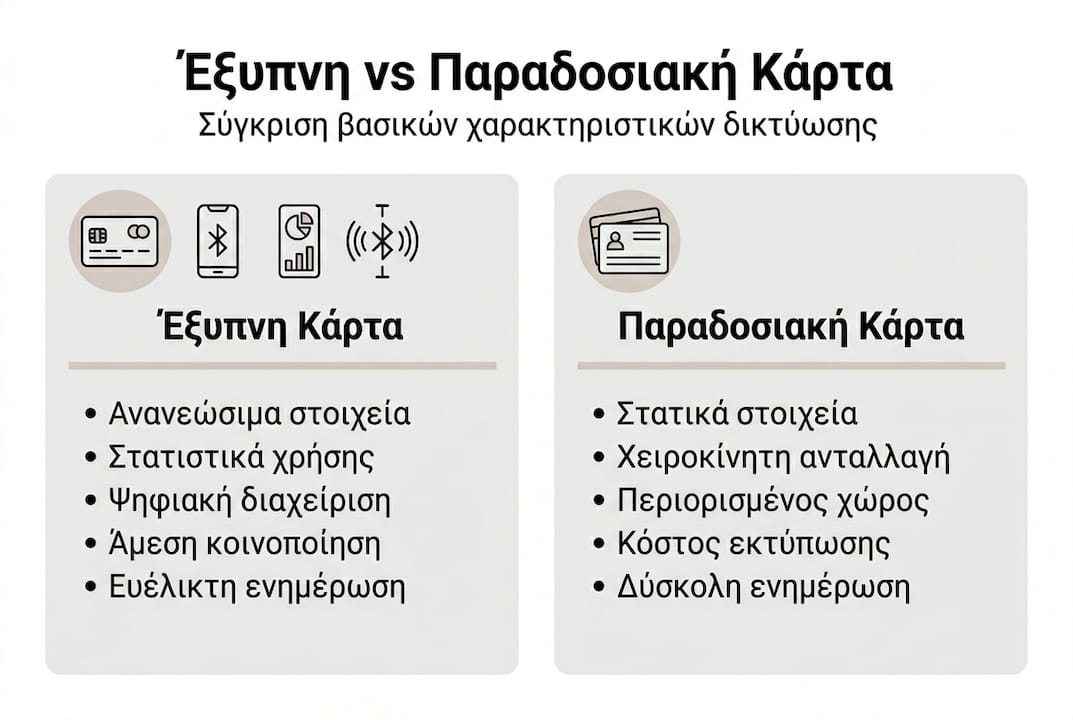
Smart cards allow for instant updating of details and interactivity that no paper card can offer. This is particularly important for professionals who frequently change roles, companies, or contact information.
The advantages of the smart card are summarized:
- Zero waste: You don't throw away cards due to changing details.
- Rich content: Videos, links, portfolios, all in one place.
- Professional image: Using technology leaves a positive impression.
- Measurement of results: You know if your card is being used.
However, there are limitations worth knowing. Older smartphone models may not support NFC. In these cases, the QR code acts as an alternative. Also, if the recipient is not familiar with the technology, a brief explanation might be needed.
Professional tip: Choose a card with an integrated QR code as a backup option. This way, you cover cases where NFC is not available.
For reasons for using NFC cards in networking, ease of use and professional image are the two most frequently cited benefits by users who made the switch.
Practical applications and best practices
Understanding technology has no value if it does not translate into practical use. Let's look at specific scenarios.
Scenario 1: Professional conference. You are at an event with 300 attendees. Instead of handing out cards that might get lost, you bring your card near the other person's phone. In two seconds, they have your full profile. Follow-up becomes easier because they already have your details saved.
Scenario 2: Presentation to a client. At the end of a professional presentation, you give your card. The client scans it and immediately sees your portfolio, testimonials, and the link to book an appointment. You don't need to send an email later with attachments.
Scenario 3: Networking event. At an event where you meet many people quickly, speed matters. The NFC card accelerates the exchange of details and leaves time for meaningful conversation.
Professionals leverage smart cards to network quickly and effectively, especially in environments with high interaction rates.
Steps for immediate implementation:
- Choose a platform and card type (PVC, metal, etc.).
- Create your digital profile with all necessary details.
- Test scanning with different devices before using it publicly.
- Update your profile whenever something in your details changes.
- Monitor scan statistics to evaluate effectiveness.
"Effective networking does not depend on how many cards you hand out, but on how easily someone can find you after the meeting."
Small details that make a difference: add a photo to your profile, use a professional title that is understandable outside your company, and ensure the contact link leads to an active email or number. For professionals using an NFC card, the quality of the digital profile is just as important as the card itself.
The truth often overlooked about smart business cards
There is a misconception that often appears: that a smart card by itself improves networking. It does not.
Technology simplifies the exchange of details. It does not replace human contact, follow-up, or the essence of the professional relationship. A professional with a bad profile and poor presentation will not benefit from the best NFC card on the market.
The real advantage is the elimination of friction. No time is wasted on exchanging details, so the discussion can focus on what really matters. The essence of the NFC business card is to make the process invisible, so the relationship is the focus.
Those professionals who best leverage these tools are those who invest equally in their profile content and how they present themselves. The card opens the door. You have to walk through it.
Upgrade your networking with TagTouch smart cards
For those who want to take action, TagTouch offers specialized NFC solutions for professionals and businesses.
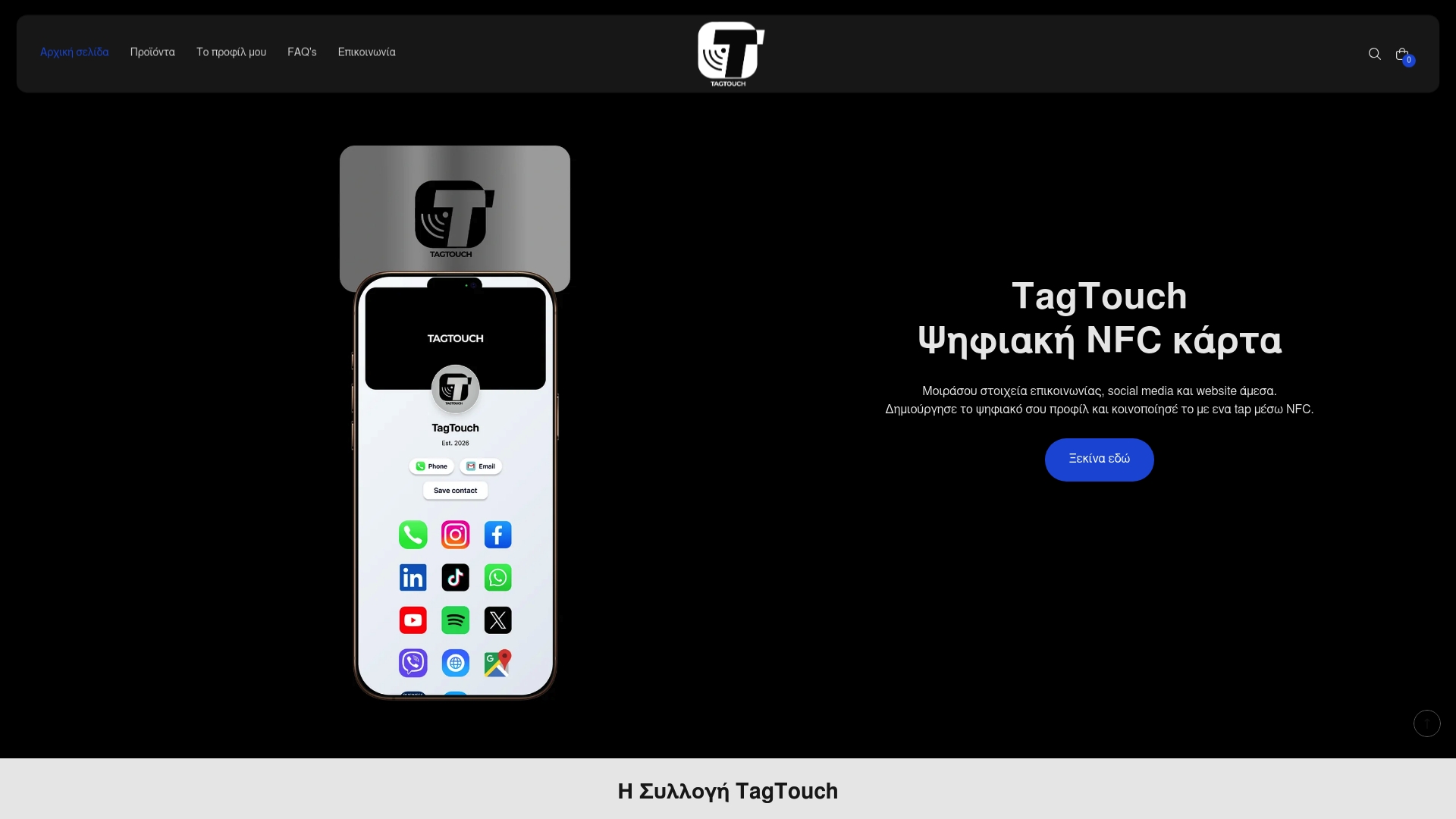
The Mirror NFC card and the White NFC PVC card are two of the available options, with different materials and appearance for every professional profile. Each card connects to a customizable digital profile that is updated instantly. For a complete picture of available products and solutions, visit TagTouch digital cards and choose the one that fits your needs.
Frequently asked questions
How does a smart business card work?
By using NFC or QR technology, it instantly transfers your details to a smartphone or other device. Smart cards work wirelessly and transmit information without an app or internet connection.
Is it safe to use a smart card for personal details?
Yes, smart cards use modern data protection protocols, and the owner controls what is shared. Digital cards provide management of details for greater safety and control.
What information does a smart card include?
Full name, position, company, contact details, and links to social media or website. The digital profile can also include videos, portfolios, and contact forms.
Can I update the details on my smart card?
Yes, you can change the content whenever you want without changing the card. The details are updated dynamically without new printing or extra cost.